Complete product · One plan · Private instance

The complete shop system for fabrication teams

Opsryx runs the office and the floor together. Quotes become jobs. Jobs hit machines. Stock, quality and despatch stay in the same picture — with AI that can tell you what is late and why.

No feature tiers · Private cloud per plant · CNC, punch, brake, weld, powder and assembly

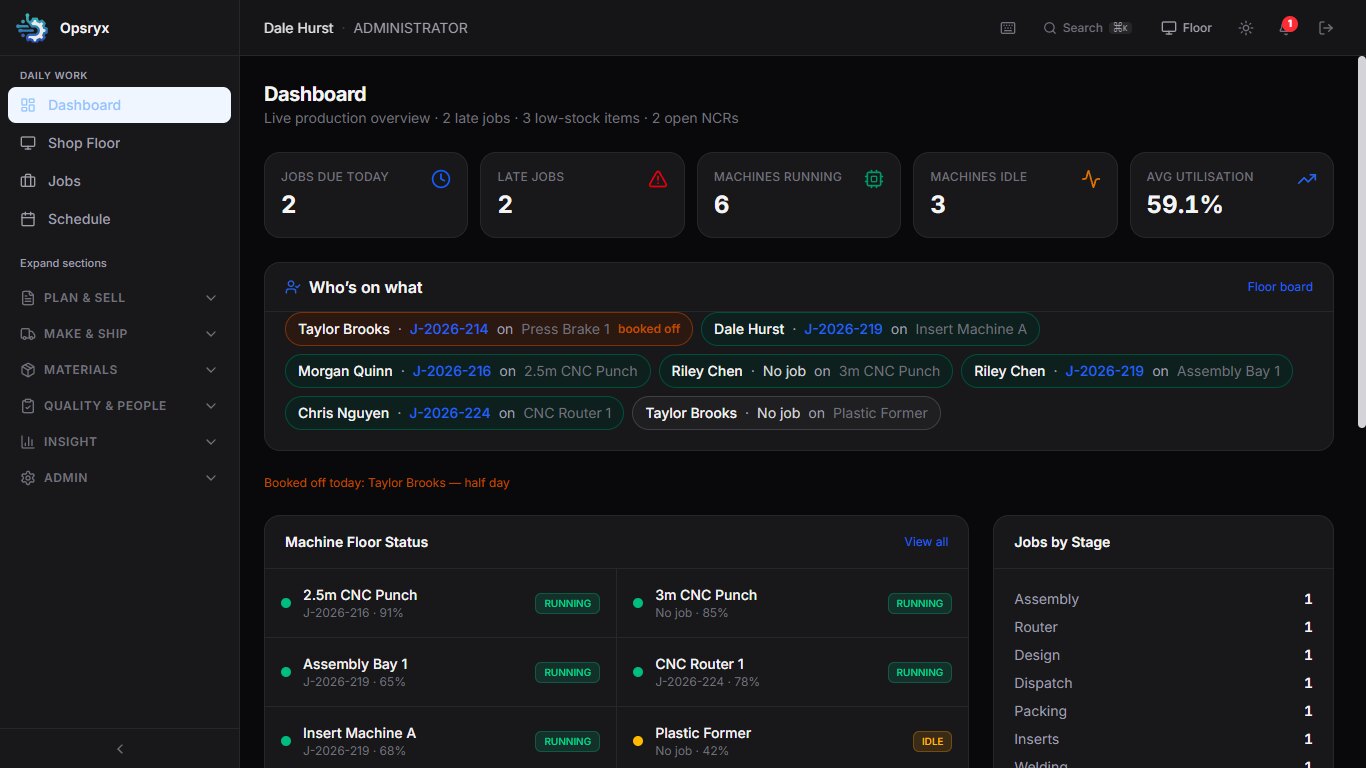
Opsryx live production dashboard showing jobs due, late work, machines running, who is on what and jobs by stage

Replace the whiteboard

Live floor board and terminal so the shop does not run on paper and shouted updates.

Stop splitting office and floor

Quote, schedule, claim, materials and despatch sit in one system the whole team can use.

Know what is late — and why

Capacity, job cost, NCRs and an AI assistant that points at the next action, not another report.

The product

Built for real workshop use

Managers see load and risk. Supervisors move work. Operators scan, claim and advance. Stores issue the right lot. Sales send a quote that becomes a job.

Opsryx live floor board showing machines, operators and priority jobs

Live floor board

Wall-friendly view of every machine, who is on it, and which jobs are late or waiting.

Opsryx shop floor terminal for scanning, claiming and starting jobs

Shop floor terminal

Clock in, scan then claim, advance stages, log downtime and print the approved drawing — including offline.

Opsryx week schedule with jobs by day, outside work and overloaded machine-days

Week schedule

Drop work onto the week. Outside jobs sit off the floor. Overloaded machine-days show before the plan breaks.

Opsryx capacity load board with booked hours against plant time by machine and day

Capacity load board

Booked setup and run hours against available plant time. Overload is visible before the week breaks.

Opsryx quality screen with open NCRs and recent inspections

Quality and NCRs

First-off, complaints, inspections and non-conformance on the same job trail the auditor will follow.

Opsryx materials requirements screen showing shortages against free stock and open purchase orders

Materials requirements

Demand from open jobs against free stock and open POs. Shortages become a draft order, not a surprise on Friday.

How it works

Quote to despatch without leaving the system

A job does not get handed between spreadsheets. It stays one record from the first estimate to the pack note.

1

Quote it

Build from sell prices and library hours. Convert a won quote straight into a job with part number, setup and run.

2

Plan it

Drop work onto the week. Capacity shows overload. MRP flags shortages. Calendar shutdowns block the schedule.

3

Make it

Operators claim from the terminal. Time, drawings, first-off, hold, rework and scrap stay on the job card.

4

Ship it

Despatch desk for boxes, carrier and POD. Outside work goes out and comes back with cost and certs. Customer status link if they ask.

Complete app

Everything in one system

The full product. Nothing held back behind a higher tier.

Floor & production

Live production dashboard

Jobs due today, late work, machines running or idle, utilisation, jobs by stage, open NCRs and low-stock alerts.

Shop floor terminal

Clock in, scan then claim, advance stages, log downtime and print the approved drawing. Tablets and station PCs, with an offline queue.

Schedule & capacity

Weekly drag-and-drop schedule, hours overload warnings, undo, and shutdown days that block the calendar.

Job management

Quote-to-job link, parent and child jobs, priorities, floor due vs promise date, bulk advance and printed job packs.

Times that learn

Completed jobs propose standard times from actuals. Supervisors apply them to the library. Quotes and new jobs prefill from that library.

Despatch & outside work

Ship-to, carrier, boxes, POD and pack notes. Send and receive subcontract with PO, cost and certificates. Part-shipped and outside filters on jobs.

Materials & buying

Inventory & stock

Parts, sheet, consumables and finished items. Minimum levels, locations, suppliers and role-restricted cost prices.

Bills of materials

Product structures, apply a BOM to a job, substitutes, backflush on complete, clone and where-used. CSV import and export.

Lots & goods-in

Lot numbers on reserve and issue. Goods-in inspect as pass, quarantine or reject. Issue blocked on quarantined lots.

Suppliers & purchase orders

Maintain suppliers, raise POs, receive goods and keep buying tied to what the shop actually needs.

Material requirements

Shortages for jobs in a date range, order-by dates, firm/soft/quarantine columns, and draft POs from the shortage list.

Printed job packs

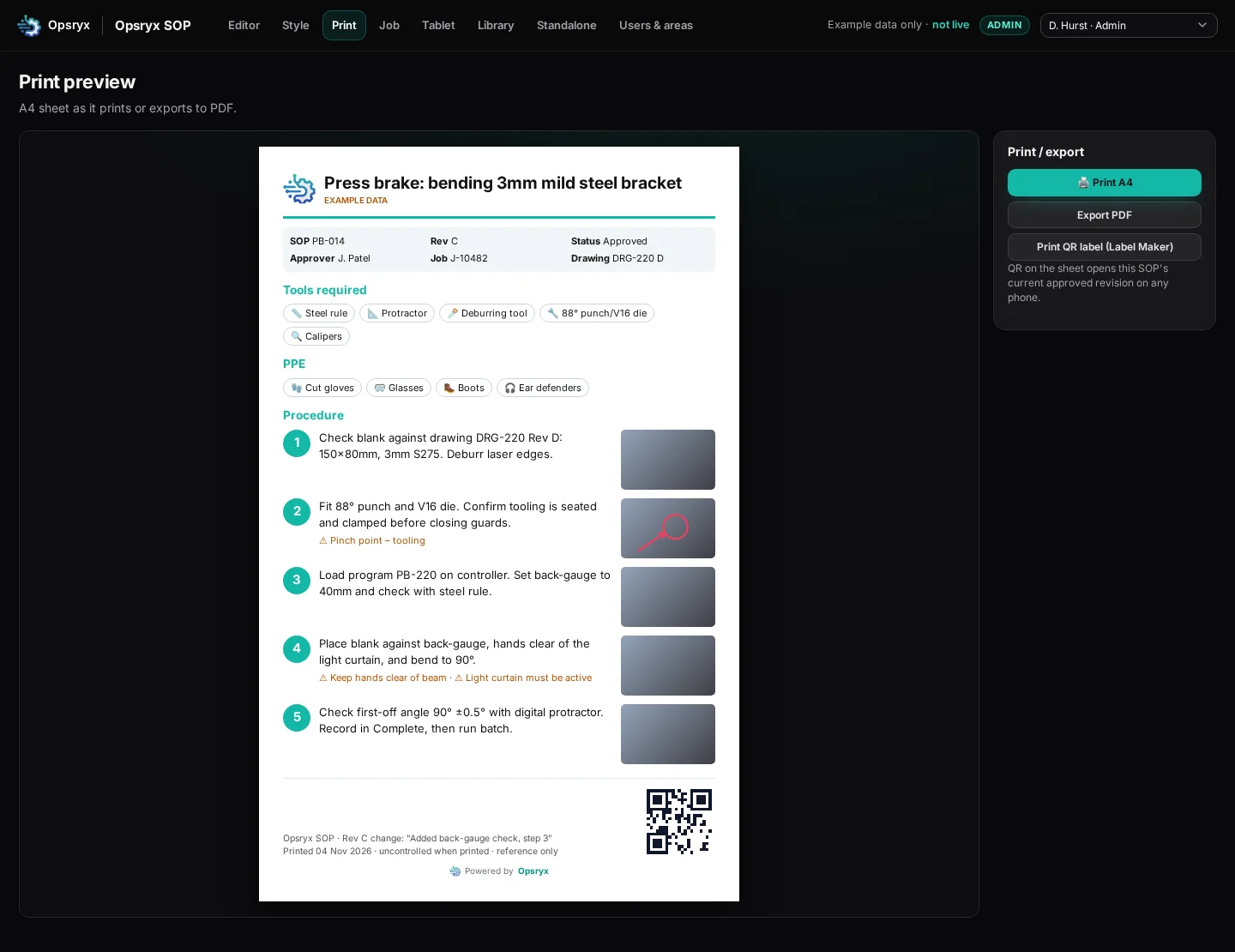
Customer, due date, materials and lots, stages, labour, cert files, QR and sign-off lines. Floor card and full pack modes.

Commercial

Customer quotes

Build from sell prices and labour rates. Prefill hours from the times library. Diff panel and lost-reason codes when a quote dies.

Job costing & margins

Roll up labour and material against quoted value. Margin alerts flag work that is drifting off plan.

Customer status & despatch files

Public status link per job when you want the customer to see progress. Despatch CSV ready for Xero or QuickBooks.

Quality, people & intelligence

Quality & NCRs

First-off prompts, complaints, FAI pack, tablet photos on Quality, plus hold, rework and scrap reason codes with a weekly report.

Controlled drawings

Revision control. Only the approved revision reaches the floor. Staff acknowledge the current drawing before claiming work.

SOPs, skills & notice board

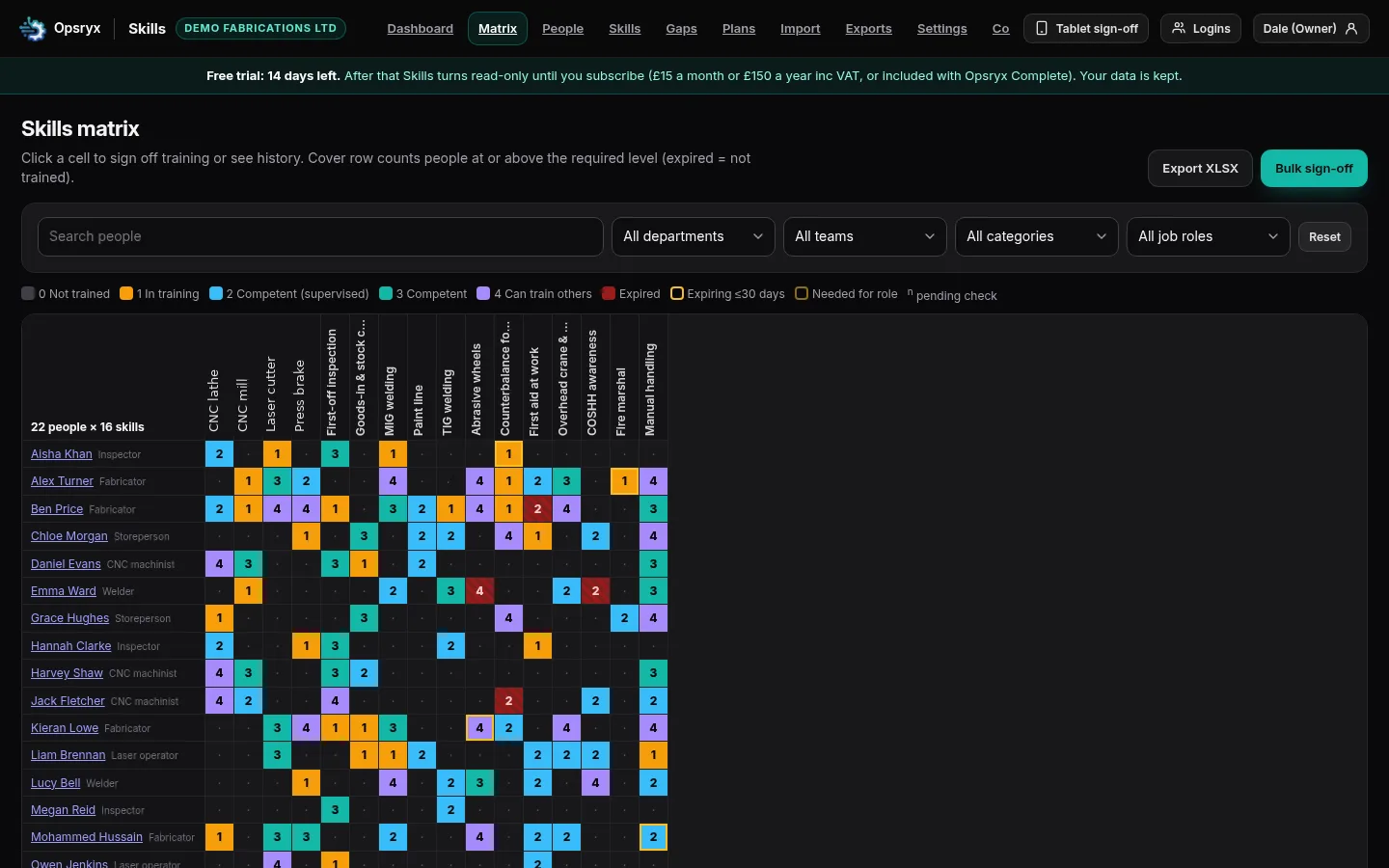
Procedures with photos, SOP acknowledgement, skill gates on claim, safety alerts and meetings with calendar download.

AI shop assistant

Ask where a job is, what is late and why, which machine is overloaded, what to order, and what to do next.

Reports, digest & export

At-risk-by-Friday, supplier OTD, utilisation week, saved views, email digest and full CSV export across quotes, POs, NCRs and downtime.

Roles, audit & security

Administrator, manager, supervisor, operator, assembly, office, stores and sales. Full audit log. Private instance per customer.

Roles that match the factory

Each person only sees the modules and actions that fit their job.

Office & sales

Quotes, customers, jobs, inventory, BOMs, POs and reports.

Managers & supervisors

Capacity, schedule, people, quality, approvals and the dashboard.

Operators & assembly

Scan, claim, advance stages, log time and downtime, raise quality issues.

Stores

Stock movements, receipts, lots, substitutes and shortages against jobs.

Simple commercial model

One plan. The complete app.

Every customer gets the full product on a private instance. No starter cut-down. No add-on modules to unlock later.

Opsryx Complete

One plant · Whole team · Full product

£349 / month

plus onboarding

  • Jobs, schedule, capacity and shop floor
  • Inventory, BOMs, MRP, lots and POs
  • Quotes, costing and margin alerts
  • Drawings, quality, SOPs and skills gates
  • Despatch, outside work and job packs
  • AI assistant, reports, digest and export
  • Role-based access and full audit log
  • Private cloud instance per customer
Ask about Opsryx Complete

One plan at £349 a month, plus onboarding to get the plant live. Prices exclude VAT where applicable.

Info pack

Client info pack

Comparison against the systems shops actually shortlist, the live features catalogue, and how the shop record supports ISO 9001. Leave your company name and work email to get the PDF.

PDF · 13 pages · September 2026

Opsryx vs comparable shop systems

Side-by-side with PSL Datatrack, JobBOSS², ProShop, MRPeasy, Katana, Cetec and Odoo — then the live feature list and ISO 9001: what you can show from a live job, the path an auditor would walk, and what stays in your quality system.

  • Capability ratings and honest trade-offs
  • What changed in the September product
  • Features and functions by module
  • ISO 9001 story, role sketch and pilot steps

We use this only to send the pack and follow up if useful. We do not sell it.

Independent comparison. Competitor names are trademarks of their owners. Features describe the live product as of 13 September 2026.

Questions shops usually ask

Is this the full product or a cut-down version? +
The complete app. Floor, materials, commercial, quality, despatch, AI, reports and administration. One plan covers it.
Is this another generic project tool? +
No. Opsryx is built around fabrication: machines, stages, shop-floor claim, capacity, drawings, materials, outside work and job cost.
Do we need IT staff to run it? +
No. Managers administer users and machines from Settings. Hosting and updates are handled for you. Each customer gets a private instance.
Can operators use it on the floor? +
Yes. The terminal and floor board are built for tablets and station PCs. Operators only see what their role allows. Offline actions queue when the connection drops.
What does a customer see? +
Only what you choose. You can send a public status link for a job. They do not get access to the plant system.
How do we start? +
Use the form below. We walk a job flow like yours — quote, schedule, claim, capacity and materials — then discuss a private instance for your plant.

Talk to us about Opsryx

Tell us about your plant. We will come back with a short demo on a job flow like yours and a conversation about the complete plan.

We aim to reply within one business day. Your message stays private — we do not publish a contact address on this page.

Privacy

The forms on this page are used only to reply to your enquiry or send the client info pack. We keep name, work email, company, role, phone and the note you send so we can arrange a demo. We do not sell that information. Product screenshots on this site are representative of the live Opsryx interface.

Talk to us